Demo environmentWorkspace: demoadmin.rent-radar.com
TroubleshootingAll roles and support respondersaccess-and-data-troubleshootingValidated 73a3bb9

Resolve access, missing data, and scope errors before escalating

Use a consistent troubleshooting path for missing properties, denied routes, empty pages, and data that looks wrong for the current user.

Before you start

Most escalations get faster when you separate scope, capability, and actual data problems before contacting support.

When to use this article

  • The route redirects away from the page you expected.
  • A property, booking, or widget appears missing for one user.
  • Support needs a cleaner problem statement before escalation.

Applies to

  • Scope redirects
  • Denied routes
  • Missing data
  • Property visibility

Roles

  • Admin
  • Manager
  • Editor
  • Inspector
  • Support

Run the troubleshooting sequence

  1. 1

    Confirm the user is signed in with the expected account.

  2. 2

    Check workspace and property scope first.

  3. 3

    Confirm whether the route requires buyer scope, property scope, or a specific capability.

  4. 4

    Compare the behavior with another role or user if that evidence is available.

  5. 5

    Escalate only after you can describe the exact route, scope, and failed step.

Capture high-signal escalation detail

  • Include workspace, property, route, and a screenshot whenever possible.
  • Say whether the issue affects one user, one role, one property, or everyone.
  • List the last successful step before the failure instead of describing the whole session loosely.
Expected result

  • You can separate scope problems, role problems, and real data problems.
  • Any escalation includes the workspace, property, route, and failed step.

Troubleshooting

  • Start with workspace and property scope before reviewing role or data.
  • If only one role is affected, capability is the likely cause.
  • If only one property is affected, confirm the property assignment before editing data.
  • If the issue persists after scope and role checks, escalate with screenshots and the exact route.

Guided screenshots

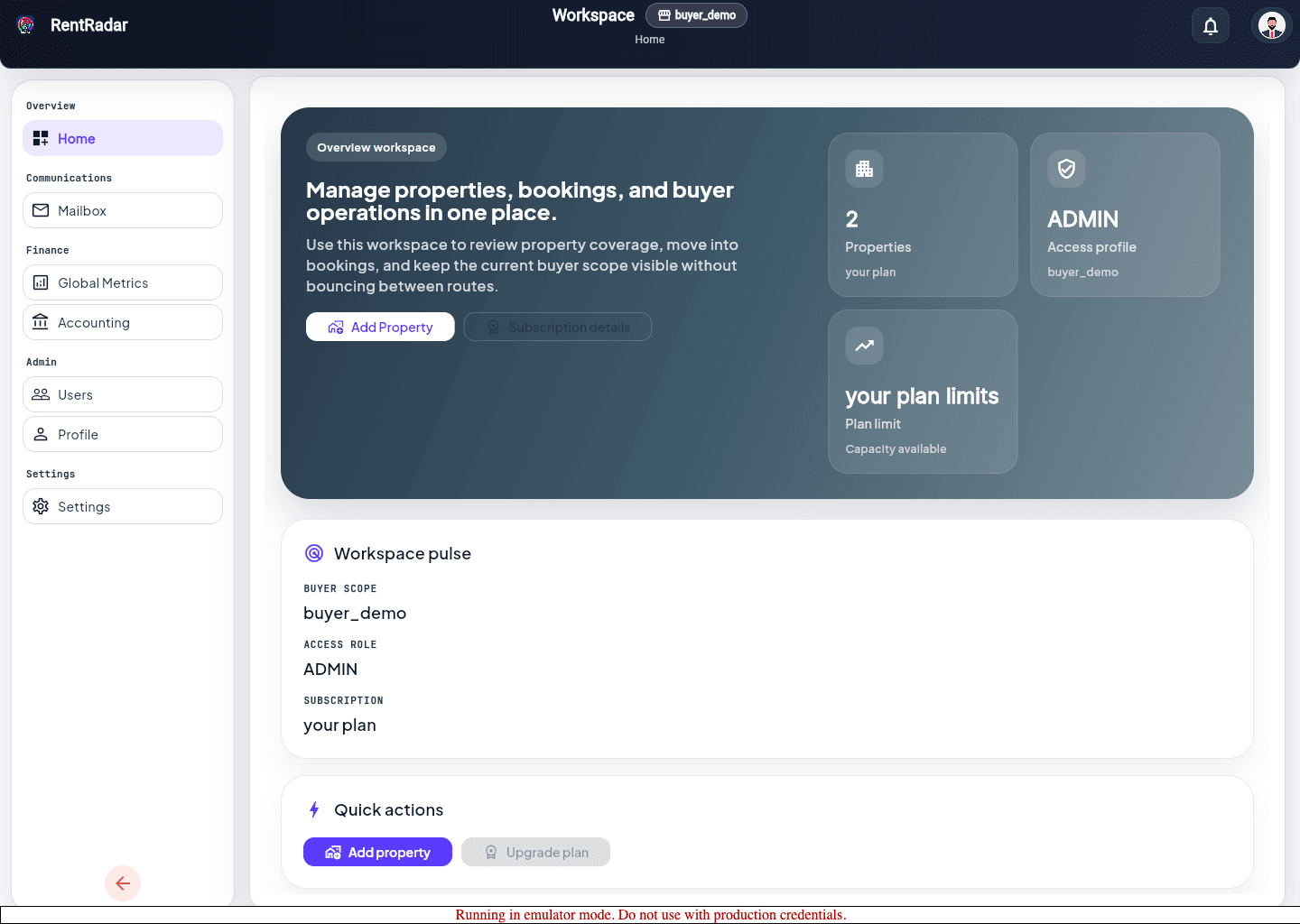
Reference views for this workflow.

access recovery entry
Step 1: access recovery entry
property access
Step 2: property access